How to build a domain landing page that actually sells: A practical step-by-step guide
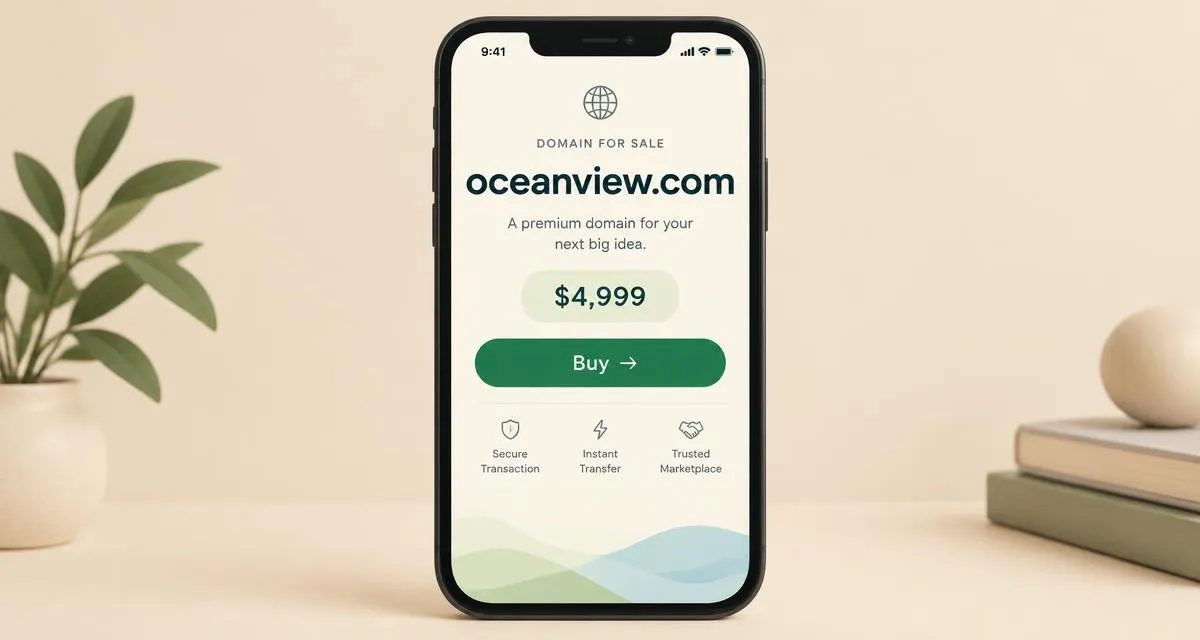
When someone types your domain into the browser — because they saw it in an ad, heard about it, or are thinking of buying it — the landing page is the first and last impression. In the record of deals we follow, such as the $250,000 Orchestra.ai deal, the presence of a clear sales page on the domain was a common factor in most large deals. This guide explains building the page that sells, not the page that is merely displayed.
1. The Golden Rule: Only one decision
A domain landing page is not a website; it is a digital "For Sale" sign. Every element that doesn't serve the purchase decision is noise. The ideal page answers three questions in the first three seconds:
- What is the name offered? (The domain itself in large font)
- How much does it cost? (The price or "Request price")
- How do I buy it? (One clear button)
Anything extra — a navigation menu, external links, multiple images, an "about you" section — distracts the buyer from the single required decision.
2. Mandatory elements in order
Name and price
Write the domain in the largest font on the page, and the price directly under it. If you prefer to negotiate, write "Request price" instead of leaving the price completely absent — total ambiguity kills half of the incoming messages because the buyer assumes the price is astronomical.
To price your domain with confidence before writing the number, appraise it with the free domain appraisal tool and compare it to similar deals in the domain sales record — random pricing either burns you or deprives you.
One prominent contact button
One button in a distinctive color: "Contact to Buy" opens a simple form (name, email, message) or a WhatsApp chat. Do not just put an email as text — forms collect three times more messages than written email addresses because they reduce friction.
The trust line
One or two lines explaining the strength of the name: "A short two-word name, easy to pronounce, suitable for a delivery platform or transport app." Do not write an article — the end buyer is buying the name, not an article about it.
Secure transfer guarantee
The biggest fear for domain buyers is fraud. A single line mentioning that the transfer is done via a trusted intermediary (Escrow.com or a brokerage platform) significantly raises the conversion rate.
3. Mobile speed is not a luxury
More than 60% of visits to domain sales pages come from phones. A page that takes four seconds to load loses half its visitors before they see the price. The rules:
- One light image or no images at all — text is the hero.
- A system font or a single web font with limited weights.
- The contact button size should be at least 44 pixels for easy thumb touching.
Review the mobile speed basics guide to measure and improve your page, and try the tool in the technical SEO audit to discover what's slowing it down.
4. Linking to your ad campaign
If you are advertising the domain, the landing page is half the campaign's success as we explained in the Google Ads guide for domain investors. The rule: the ad message and the page message must match almost literally — an ad saying "Perfect name for furniture stores" should lead to a page opening with the same sentence, not a general page.
Monitor the results: link the page to Google Analytics and count form submission as a "conversion." If the cost of a single message exceeds 5% of the domain price, the problem is usually in the page, not the ad.
5. The ready-made alternative: Don't build from scratch
Building a page for every domain in your portfolio is exhausting. Practical solutions:
- Our [Landing Page Builder](/landing-builder): Generates a ready-to-use sales page with the above elements in minutes.
- [Flowdiction Marketplace](/marketplace/submit): List the domain for free with a ready-to-display page that reaches buyers already browsing the market.
- Major brokerage platforms (Afternic and Sedo): Provide automated "For Sale" pages, but they take a commission upon sale.
The smartest strategy for large portfolios: a custom landing page for your most expensive domains (over $5,000), and display the rest in marketplaces.
6. Common mistakes that kill the sale
- Not mentioning the price at all with an "Inquire" form — it looks like a trap for exhausting haggling.
- An "Under Construction" page or the default hosting page — the buyer thinks the domain is unavailable.
- A broken contact form that hasn't been tested — test it yourself from your phone every month.
- Missing SSL certificate — a browser screaming "Not Secure" in front of a buyer about to pay thousands of dollars.
- Redirecting the domain to an ad parking page full of competitor ads — a cheap appearance that lowers the expected price.
---
Ready to sell? [Build your landing page with our tool](/landing-builder) or [list your domain in the marketplace](/marketplace/submit) for free. And to price it first, read the [domain appraisal guide](/blog/domain-appraisal-guide).
Comments(0)
…